7Shifts Integration
If you already use 7Shifts for scheduling and labor, connect it to Selflane to keep employee data in sync. The integration is most useful for larger teams or multi-location businesses where 7Shifts is the source of truth.
Prerequisites
- An active 7Shifts account.
- A Selflane Back Office login with owner-level access.
- Webhooks require the 7Shifts Gourmet Plan — see the 7Shifts pricing page .
Set Up the Integration
- In 7Shifts, define your departments (suggested:
Front of House,Back of House) and assign each employee to one. - In Selflane, contact us to request the integration.
- Our team enables the connection and confirms when sync is live.
Sync Direction
You can edit data in either platform. Webhooks (Gourmet plan) sync changes both ways in real time — schedule edits, shift changes, employee updates.
If you don’t use Webhooks, manage data in Selflane Back Office. We push every change to 7Shifts automatically. Changes made directly in 7Shifts won’t flow back to Selflane until you re-sync.
Webhooks require the 7Shifts Gourmet Plan. Without them, edits in 7Shifts that need to land in Selflane must be re-entered.
Account Structure Notes
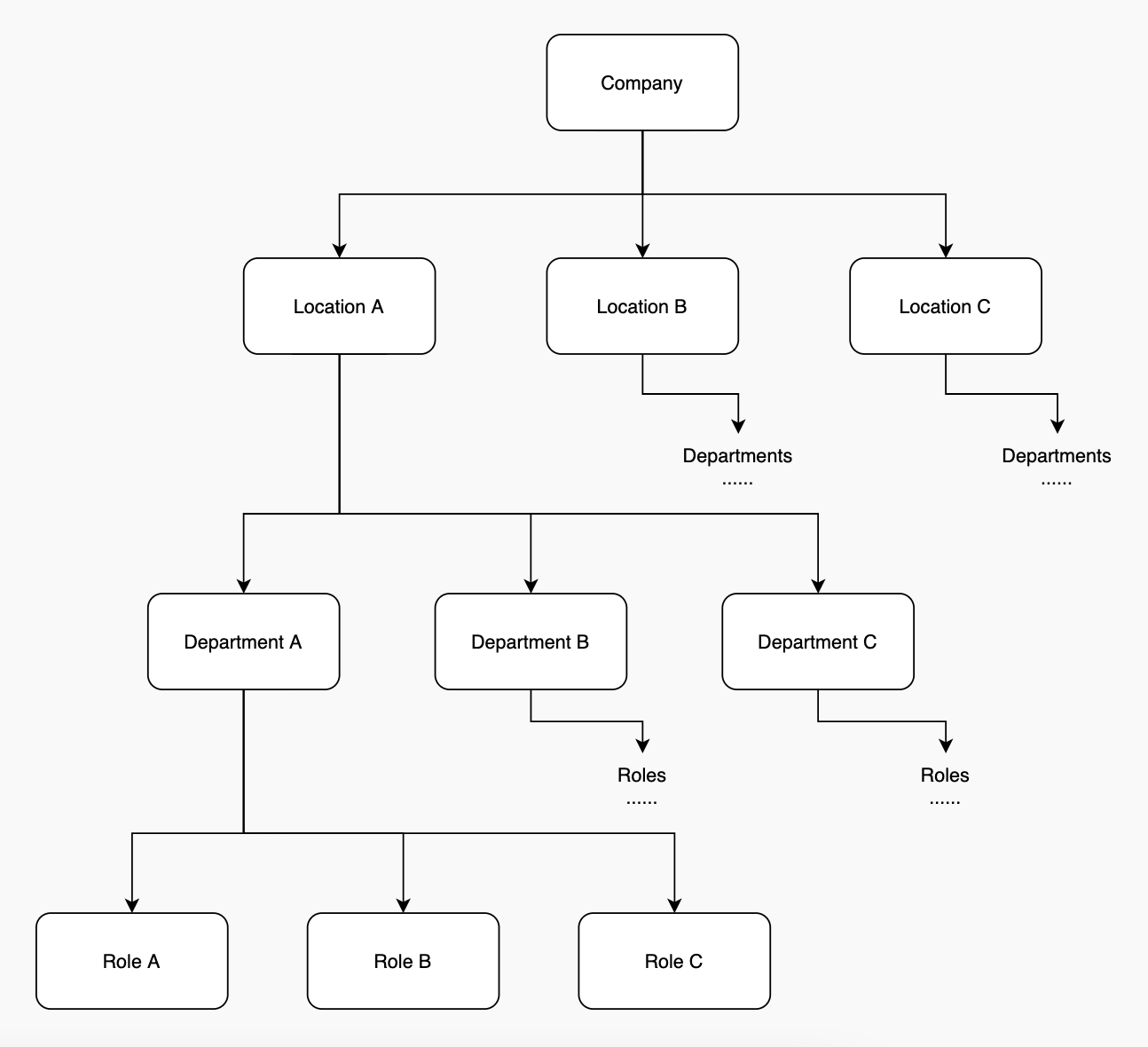
7Shifts uses a slightly different account model than Selflane. The mapping above shows how Selflane locations and roles correspond to 7Shifts departments and roles. Define departments first — without them, employees won’t sync cleanly.
Partnership
Selflane is listed on the 7Shifts partner page .