Gift Cards
Choose a gift program so customers can give your restaurant’s meals to friends and family. Selflane supports four options, which you can use together.
- E-Gift Cards: digital, online-first gift sales
- Selflane Gift Cards: branded printed cards you order from Plastic Printers and sell on Selflane POS
- Physical Gift Cards: processor-backed ValuTec cards used with a PAX terminal
- Gift Certificates: simple low-cost manual option
How to choose
- Choose E-Gift Cards for fastest rollout and online convenience.
- Choose Selflane Gift Cards for branded printed cards with self-service ordering and no feature setup or onboarding call.
- Choose Physical Gift Cards for a processor-backed ValuTec program through your PAX terminal, with its own fees.
- Choose Gift Certificates for minimal setup cost.
Combine programs
Many stores use a hybrid approach:
- e-gift for online convenience
- Selflane printed cards or ValuTec cards for in-store and holiday gifting
- certificates for specific local workflows
E-gift Cards
E-gift cards are sold online via Selflane.com .
Enable or disable them under Gift Cards > Settings in the Back Office .
This setting controls online e-gift cards. Selflane printed cards do not require it.
E-gift Card Key Features
- purchase anytime (including after business hours)
- email delivery to recipient
- redemption online and in-store
- no setup fee or monthly fee
E-gift Card Best Use Cases
- holiday and seasonal campaigns
- remote gifting by non-local customers
- quick promotions without physical inventory
Selflane charges a commission per sold e-gift card. See details in Pricing .
Selflane Gift Cards
Sell branded printed gift cards in your restaurant with Selflane POS. Order the cards yourself, then sell and redeem them by their printed numbers.
Order and design cards
Order from the Selflane storefront at Plastic Printers . Cards are printed with your restaurant’s branding and encoded for Selflane POS.
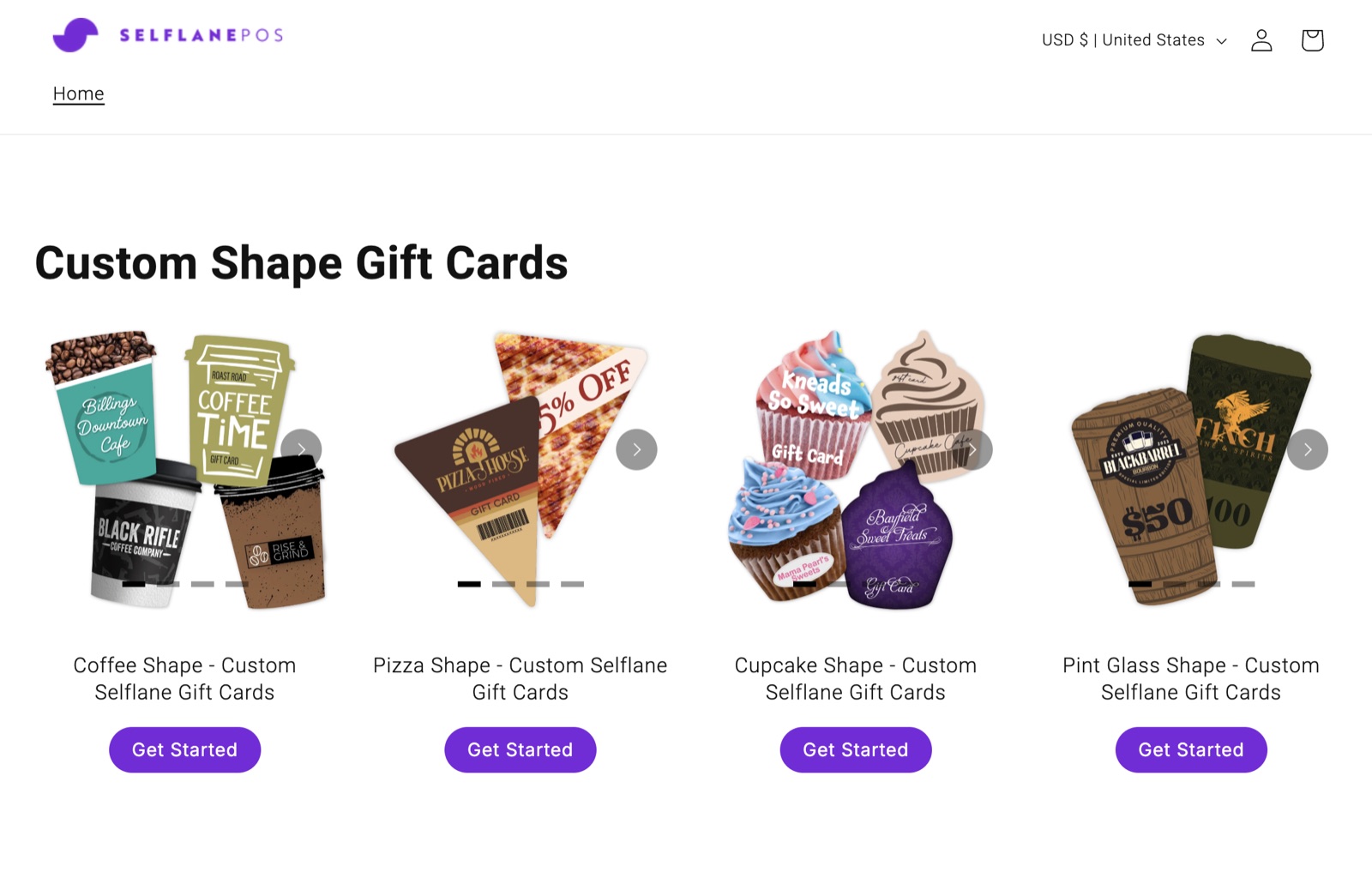
Nothing needs to be enabled in Selflane, and no onboarding call is needed.
You do not need to enable the online e-gift card program under Gift Cards > Settings.
Sell and activate cards
Use Selflane POS 7.5.1 or later to sell Selflane Gift Cards.
- Open
Gift Card Centeron Selflane POS. - Tap
Sell Selflane Gift Card. - Scan or enter each card’s printed number and set its value.
- Take payment for the order in full.
A card holds no balance until the order is paid in full. Payment activates the cards automatically.
Redeem at checkout
Use Selflane POS 7.5.0 or later to redeem cards by number.
- Open the customer’s order and tap
Pay. - Tap
Gift Cardand use theSelflane Gift Cardsection. - Scan or enter the card’s printed number to apply it to the payment.
See Redeem gift cards for the checkout guide.
Check balances and sales
- Open
Gift Cardsin the Back Office . - Click
Check Balance. - Look up the card using its printed number.
Sales appear in the Store Gift Card report on the same page.
Choose the correct card program
Cards ordered from the Selflane storefront at Plastic Printers belong to the Selflane Gift Card section on the POS.
Do not activate them through the processor-backed Physical Gift Card section.
That section is for the separate ValuTec program, which uses a PAX terminal and has its own fees.
Physical Gift Cards
Physical Gift Cards are processor-backed cards for in-store gift programs.
Selflane integrates with ValuTec for issuing and processing.
Use the Physical Gift Card section on the POS with your PAX terminal for this program.
These are separate from Selflane Gift Cards ordered from Plastic Printers.
Use the Selflane Gift Card section for those cards; do not activate them through the ValuTec program.
Physical Gift Card Key Features
- branded card design options
- familiar card experience for guests
- processor-managed card lifecycle
Physical Gift Card Best Use Cases
- front-counter upsell during checkout
- holiday display and in-store gifting
- customers who prefer physical cards
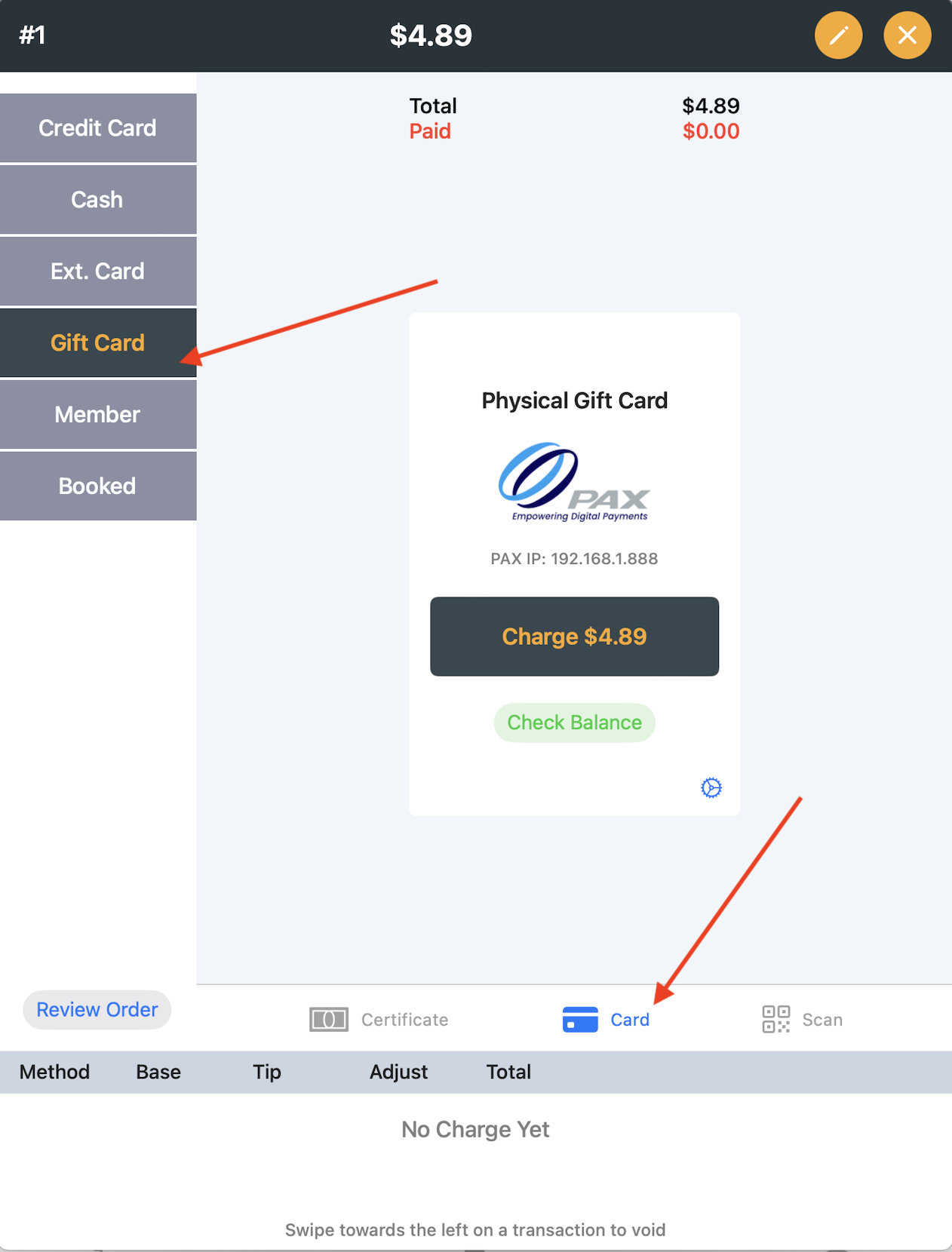
Physical card programs usually include setup/card/processing fees based on your processor agreement.
Gift Certificates
Gift Certificates are a low-cost alternative to card-based gift programs. If certificates include unique IDs, POS can track redemption history.
Enable Gift Certificates
Enable or disable this payment option in Payment Settings .
Configure Certificate Types
In Gift Settings , you can:
- define certificate type names
- require certificate ID entry
Redeem at Checkout
In POS:
- Open
Pay. - Select
Gift Card. - Choose
Certificate.
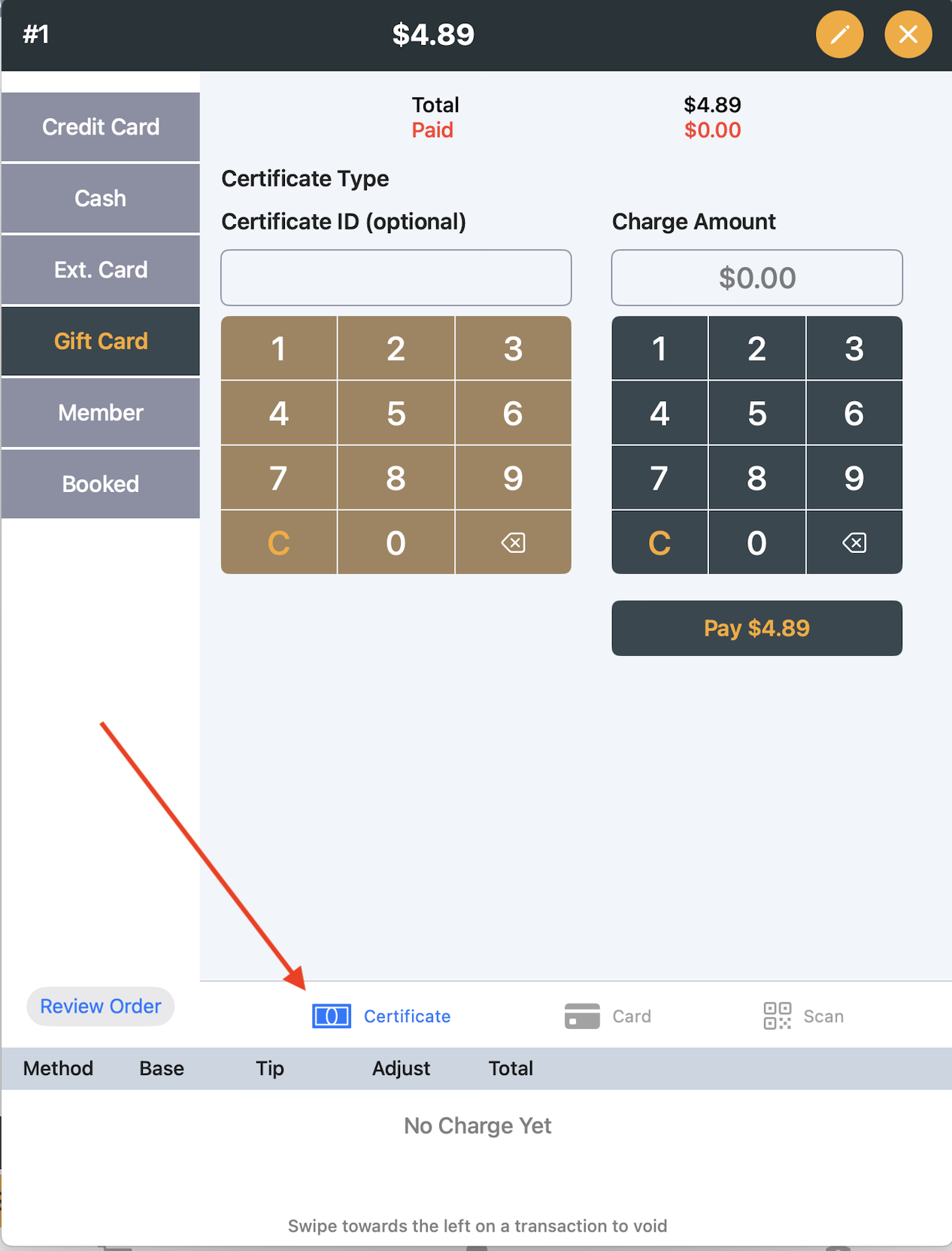
Gift Certificate Best Use Cases
- community promotions
- local events and fundraising
- low-volume programs that do not require processor integration