Devices
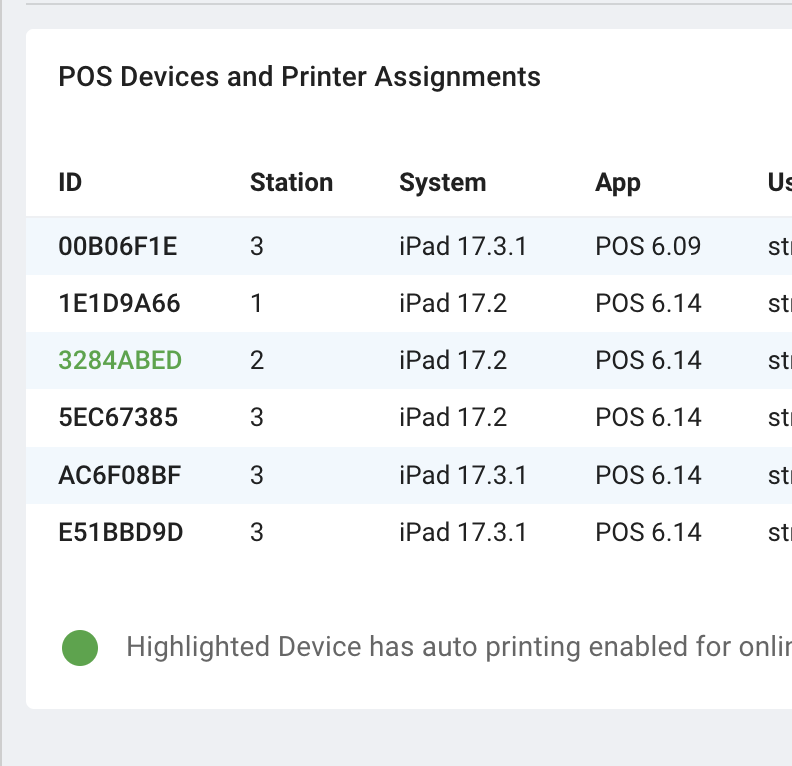
Devices gives you a centralized view of connected POS devices and printer mappings.
Use it to detect operational risk before service issues happen.
What to Watch
- outdated app versions
- incorrect network assignments
- duplicate devices mapped to the same print path
- missing kitchen/front printer mapping
Daily Device Check (Recommended)
- Confirm expected devices are online.
- Verify printer assignments by station.
- Check for duplicate online-order printing paths.
- Confirm payment terminals are mapped as expected.
When to Review Immediately
- after network changes
- after adding/replacing iPads or printers
- after app updates
- when ticket routing is inconsistent
Last updated on