Waitlist
Keep track of waiting parties and text guests when their table is ready.
What it costs
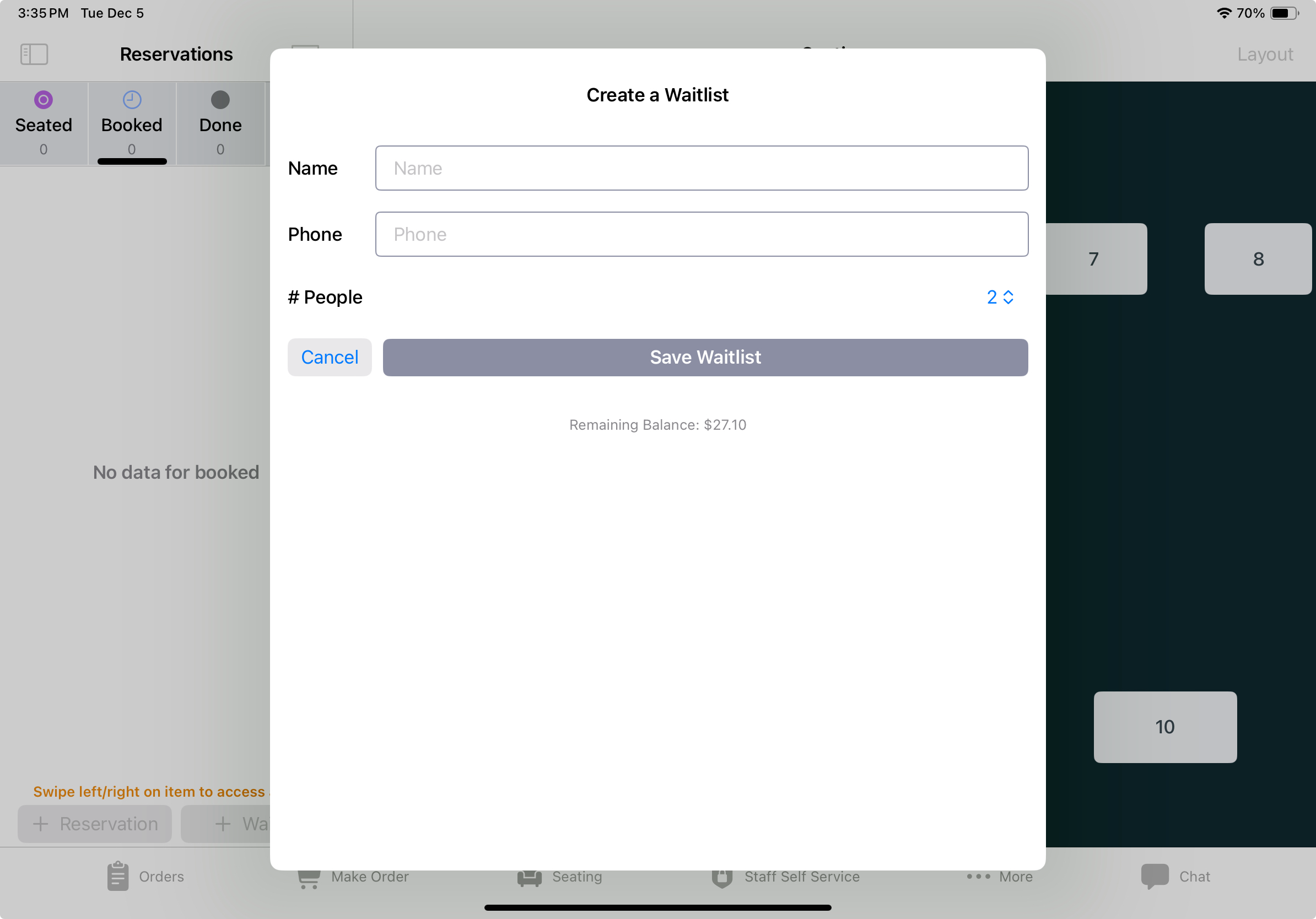
Each party you add to the waitlist costs $0.10, which covers the texts that party receives.
The charge comes out of a prepaid balance, shown as Remaining Balance on the waitlist form.
- When the balance drops below $10, it tops up $50 automatically.
- If you pay for Third-Party Delivery couriers from this balance, it tops up $200 when the balance drops below $20.
- A top-up comes from sales money waiting to be paid out to you first. If less than the full amount is available, the top-up uses the largest $10 step it covers. If under $10 is available, your card on file is charged instead.
- If an automatic top-up fails, it isn’t retried for 2 hours.
- When the balance is under $10, the waitlist form shows
Recharge Balance Accountso you can add funds yourself.
Set up your card on file in the Back Office .
Add a party
- Open
Seating. - Tap the
Waitlistbutton at the bottom of the Seating sidebar. - Enter the customer’s name and phone number, then tap
Enter.
The guest receives a text when the party is added.
Mark a party ready or cancel it
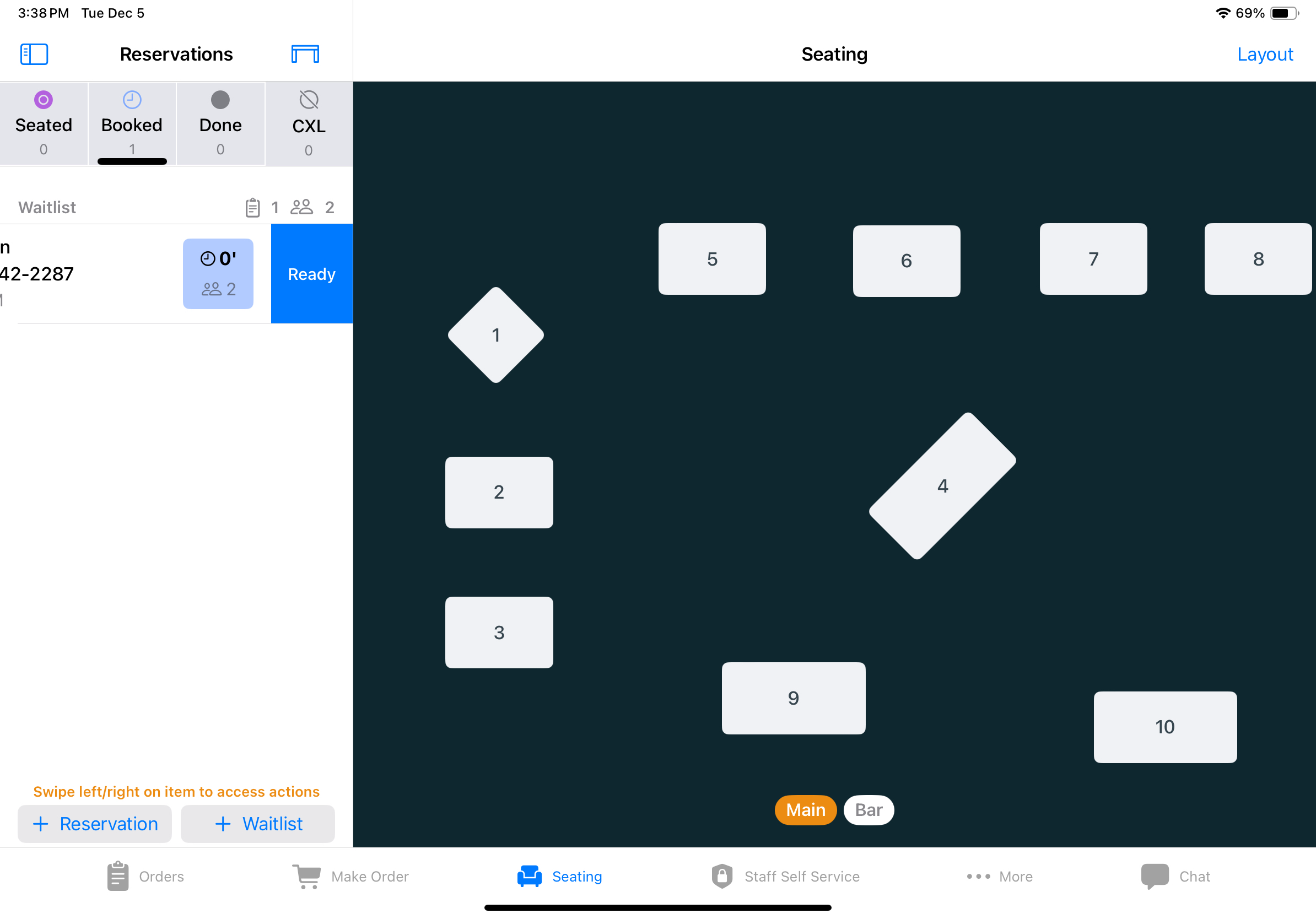
- Swipe the entry left to mark it
Ready. The guest receives another text. - Swipe the entry right to
Cancelit.
Guests receive texts when added and when marked Ready, rather than on every update.
What if a guest does not receive a text?
Check the phone number on the entry with the guest before marking the party ready.
What if a party will not add?
If the POS shows “Please add fund to your prepaid account first,” the balance is under $1 and the automatic top-up didn’t go through.
Tap Recharge Balance Account, then add the party again.
Guests who are Member Program members with a Selflane account can still be added. The balance goes negative, and the next top-up covers it.