Overall Reports
Review and print the restaurant’s sales totals with Overall Report. This option appears only for staff with Advanced Access.
Print the report
- Tap
Staff Self Service. - Choose your staff name and enter your passcode.
- Under
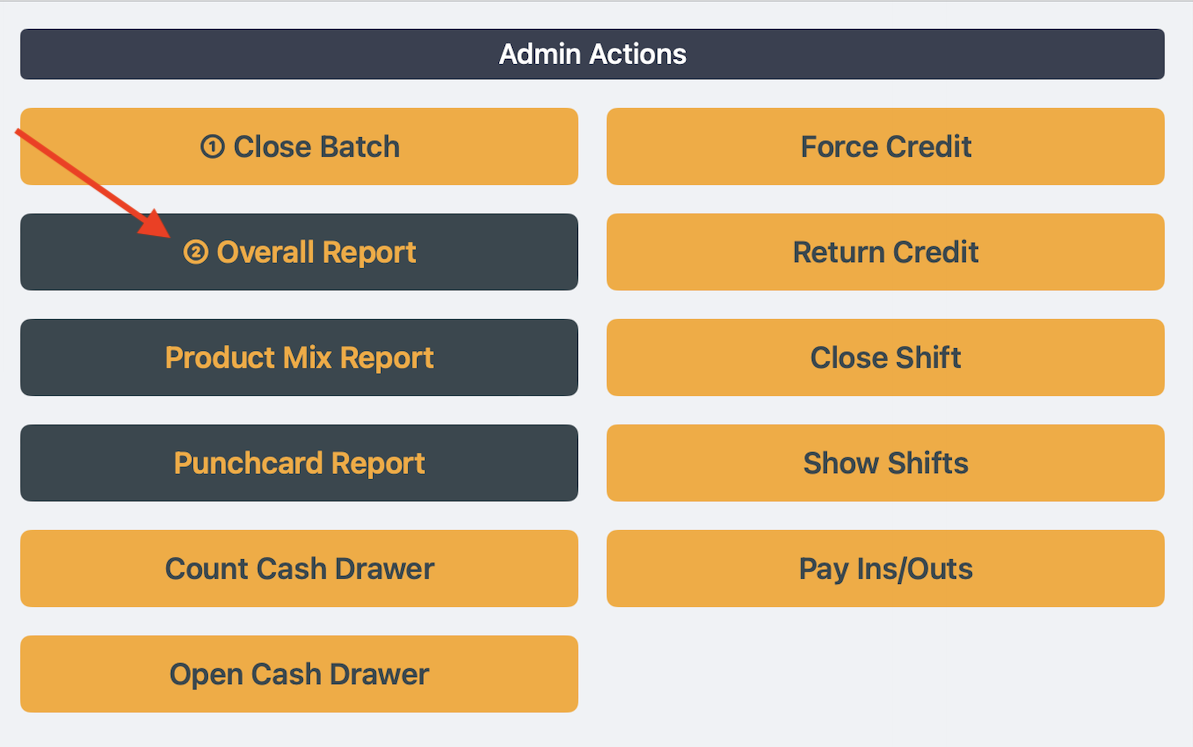
Admin Actions, tap② Overall Report. - Review the
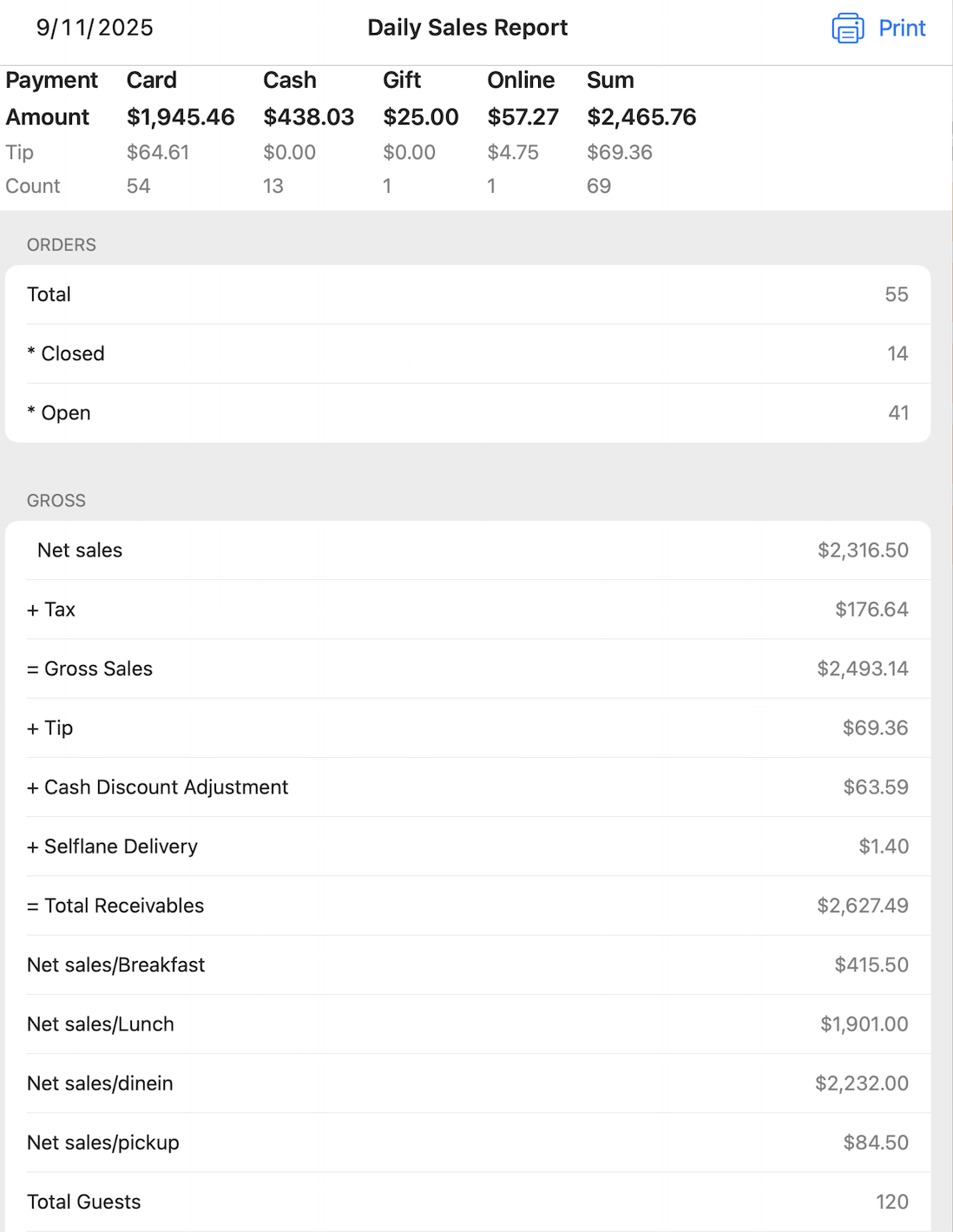
Daily Sales Reportand tapPrint.
In Selflane POS 7.9.0 or later, if the owner picks custom sections under What the POS prints, the report shows and prints only those sections, without the payment summary at the top. If the picked sections have nothing to show, the report shows “No data for this report.”
Selflane in the example screenshot is a demo staff member’s name. Choose your own account.
What if Overall Report is missing?
Without Advanced Access, Staff Self Service shows “You have no access to admin actions.” Ask a manager to check your staff account.
Related links
Last updated on