Dashboard
Dashboard is your daily control panel in Selflane Business. It gives owners and managers a quick view of operational status, current sales, and short-term trends.
What to Check First
When you open Dashboard, verify these items in order:
- Store status (open/closed, operating hours)
- Today’s sales progress
- 30-day sales trend and channel mix
- Weekly sales vs payroll trend
- Online visibility metrics
Store Status
Use this panel to confirm operational readiness.
It typically includes:
- store name and location
- today’s operating hours
- open/closed state
- open delay (minutes)
- prep time (minutes)
If values look abnormal, update settings immediately before service volume increases.
Today’s Performance
This section shows real-time sales for the current day.
- Day range is based on your Business Day Start Time setting (default: 12:00 AM). For example, if set to 2:00 AM, the business day runs from 2:00 AM to 1:59 AM the next day.
- Values refresh throughout service
- You can switch to a historical date for comparison
To adjust the business day start time, go to Settings > Basic > Business Day Start Time.
Use this view to confirm whether your current shift is tracking to target.
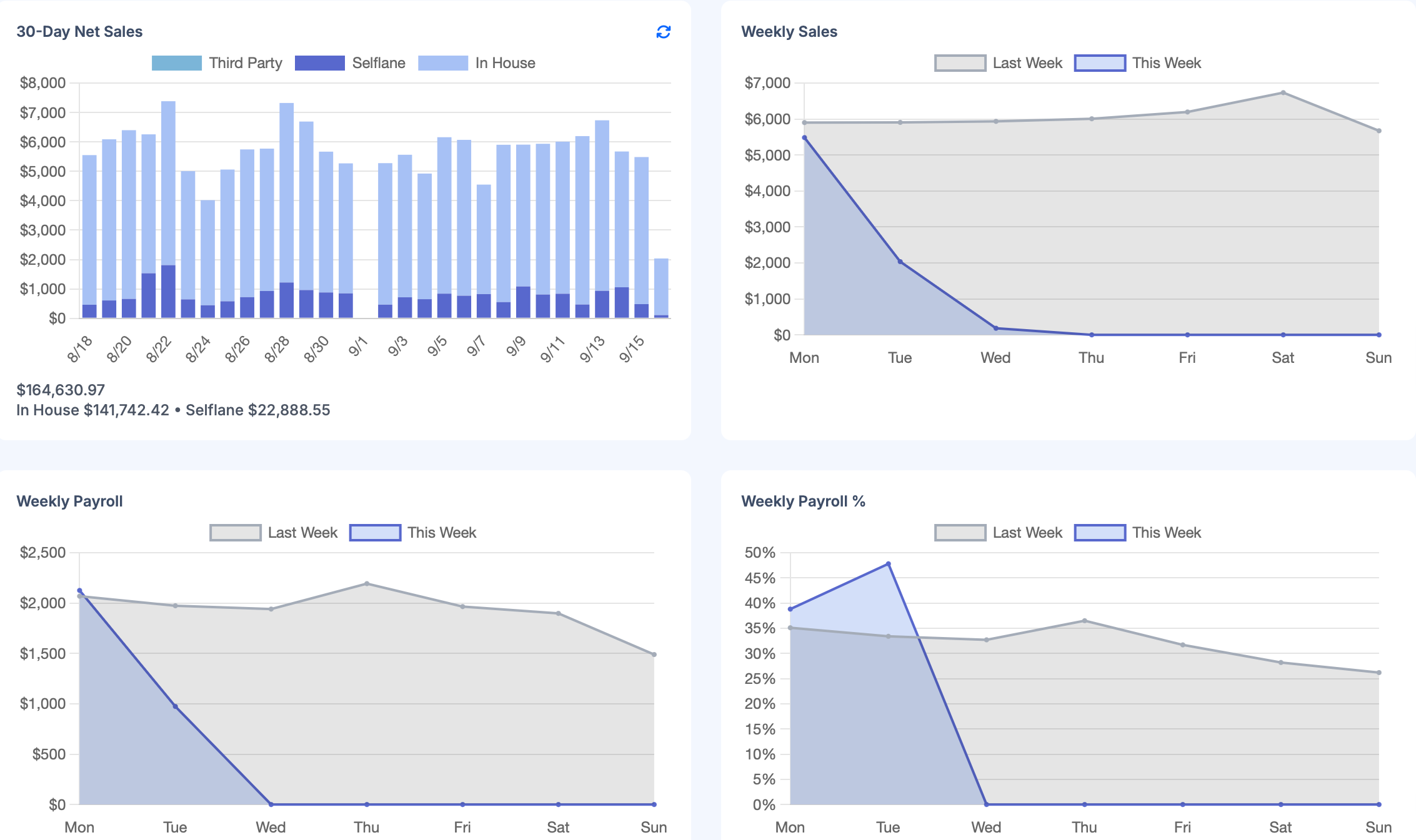
30-Day Sales Snapshot
The 30-day panel shows rolling net sales and channel distribution.
Typical channel split includes:
- in-house POS
- Selflane online orders
- third-party channels
This helps you understand where revenue is coming from and whether channel mix is changing.
Weekly Sales and Payroll
This chart is used to monitor labor efficiency.
Compare:
- weekly gross sales
- weekly payroll trend
Use it to spot weeks where labor cost rises faster than revenue.
Online Presence Signals
This section tracks customer attention and engagement in digital channels.
Common metrics include:
- favorites
- review count
- weekly impression change
Use these as leading indicators of demand before sales changes appear.
Daily Operating Routine (Recommended)
- Opening: verify store status, hours, and prep time.
- Mid-shift: compare today’s sales pace against historical date.
- End of day: review channel mix and payroll trend for early correction.
- Weekly: check visibility metrics and adjust promotions or menu strategy.