Ingredients and Recipes
Ingredients and recipes help estimate ingredient consumption from sales activity.
Example:
- If a dish uses specific ingredient quantities per order, Selflane can estimate total usage over a selected period.
- This supports prep planning, purchasing, and variance checks.
Ingredients
You can track only key ingredients (for example proteins) or build a full inventory model.
Add an Ingredient
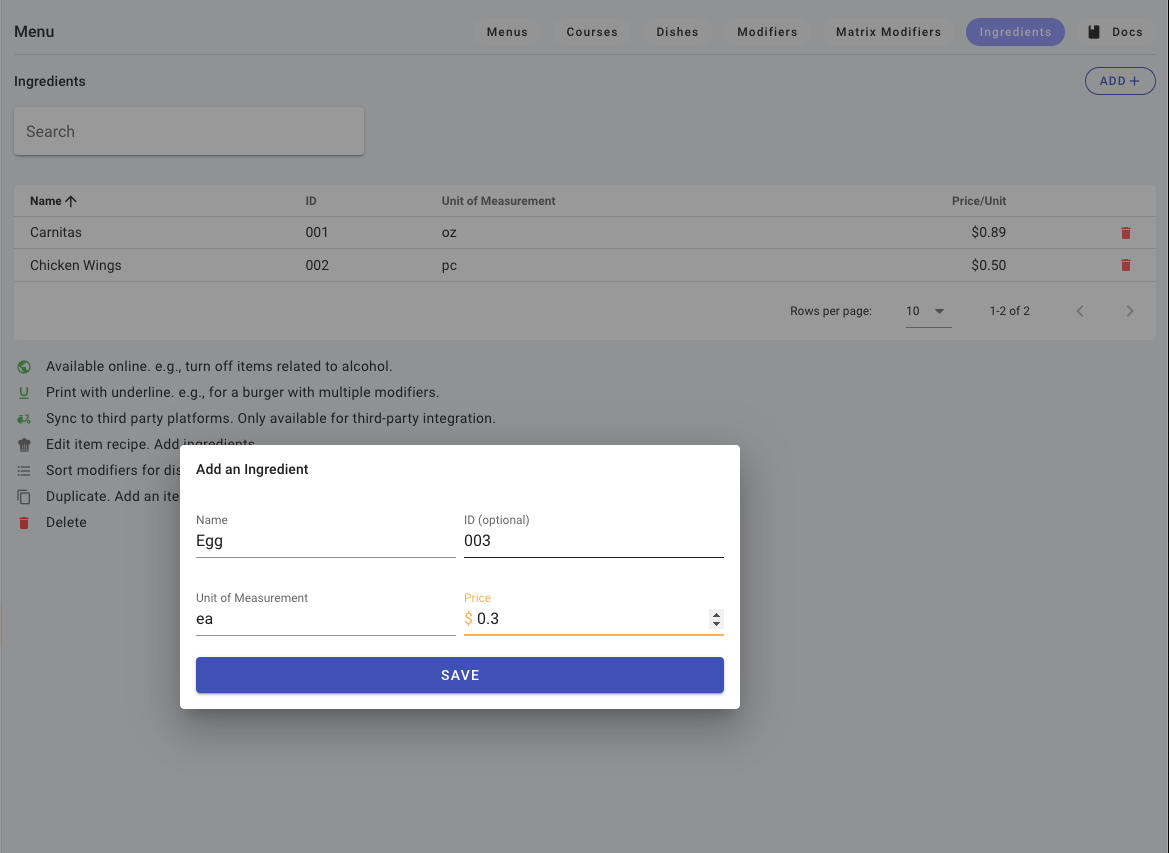
- Open Menu > Ingredients.
- Click
+. - Enter name.
- Optional: enter supplier item ID.
- Set unit of measure (for example lb, oz, each).
- Set price per unit.
- Click
Save.
Recipes
Recipes connect ingredients to dishes.
Add Ingredients to a Dish Recipe
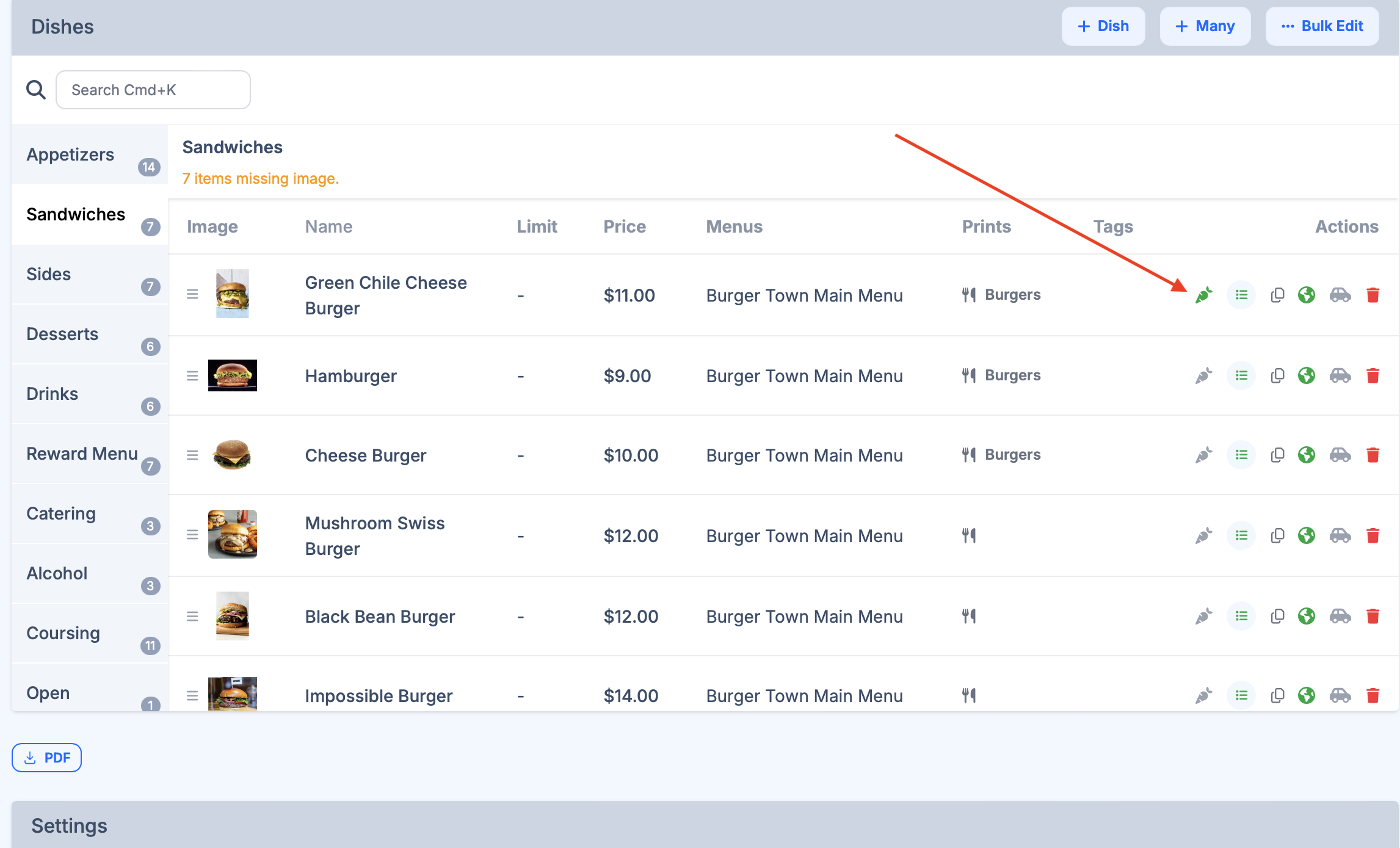
- Open Menu > Dishes.
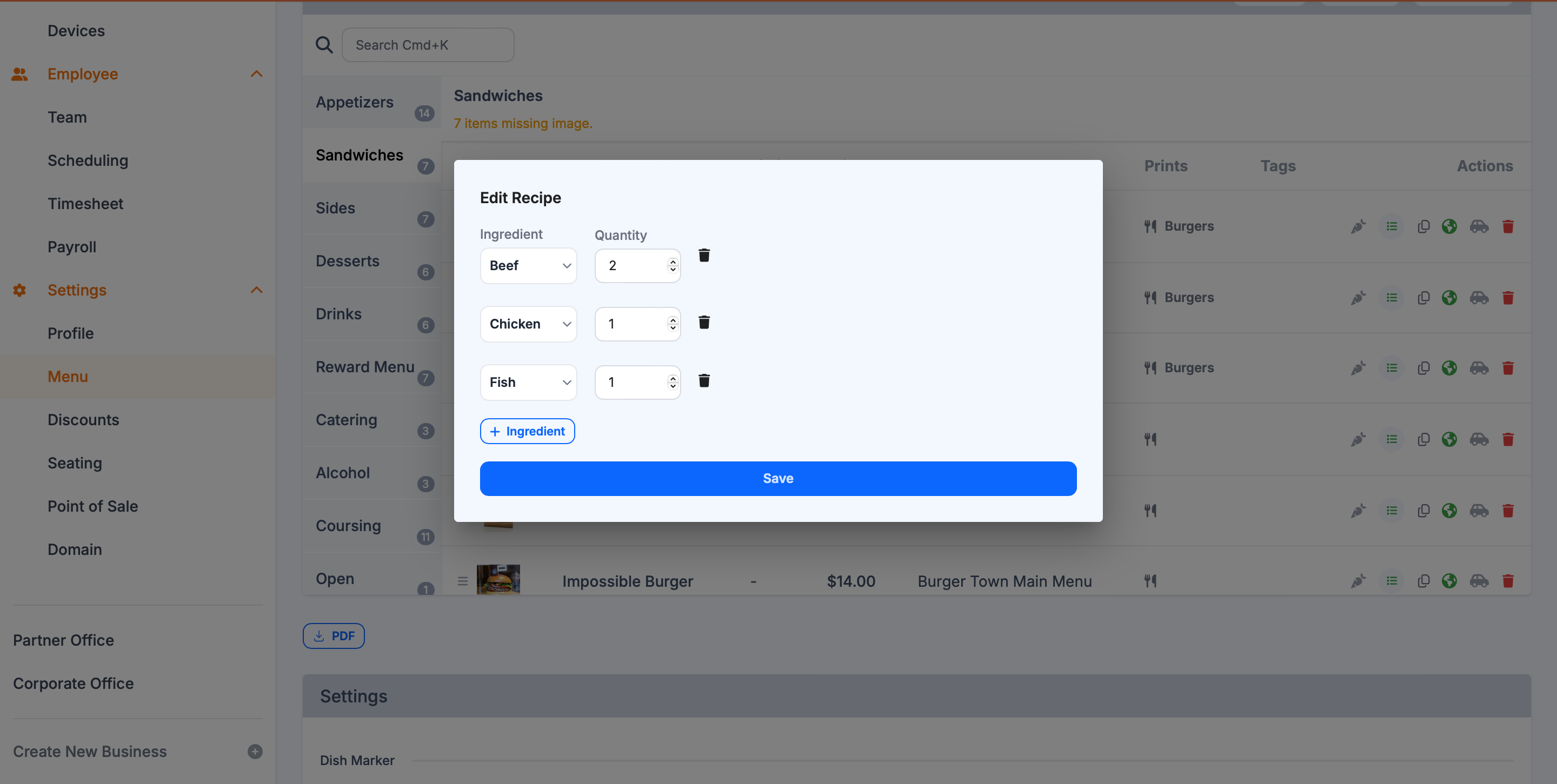
- Open recipe editor from the dish row.
- Add each ingredient used in that dish.
- Enter quantity/unit for each ingredient.
- Save when complete.
Ingredient Reports
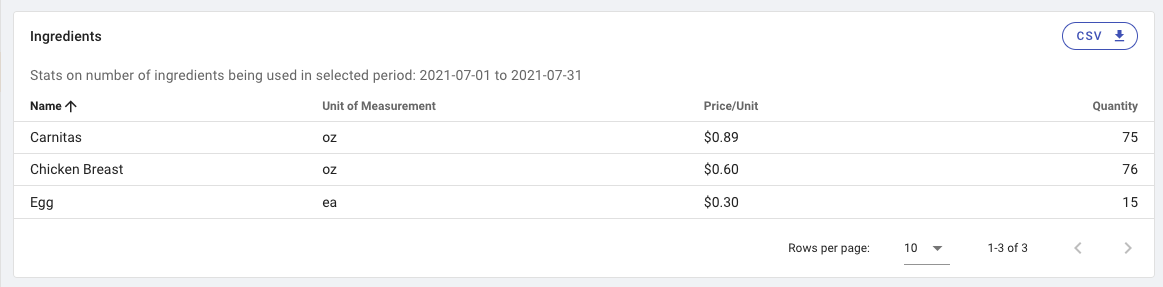
Use reports to review estimated consumption by date range.
- Open Sales Stats and select date range.
- Go to the Ingredients section.
- Adjust rows-per-page if needed.
- Click
CSVto export.
Best Practices
- Start with your highest-cost or highest-variance ingredients.
- Standardize units before entering recipes.
- Review usage trends weekly to improve purchasing accuracy.

Last updated on