Server Reports
Review your shift’s orders, tips, and cash balance before leaving. Open the report from your timecards in Staff Self Service.
Open and print a report
- Tap
Staff Self Service. - Choose your staff name and enter your passcode.
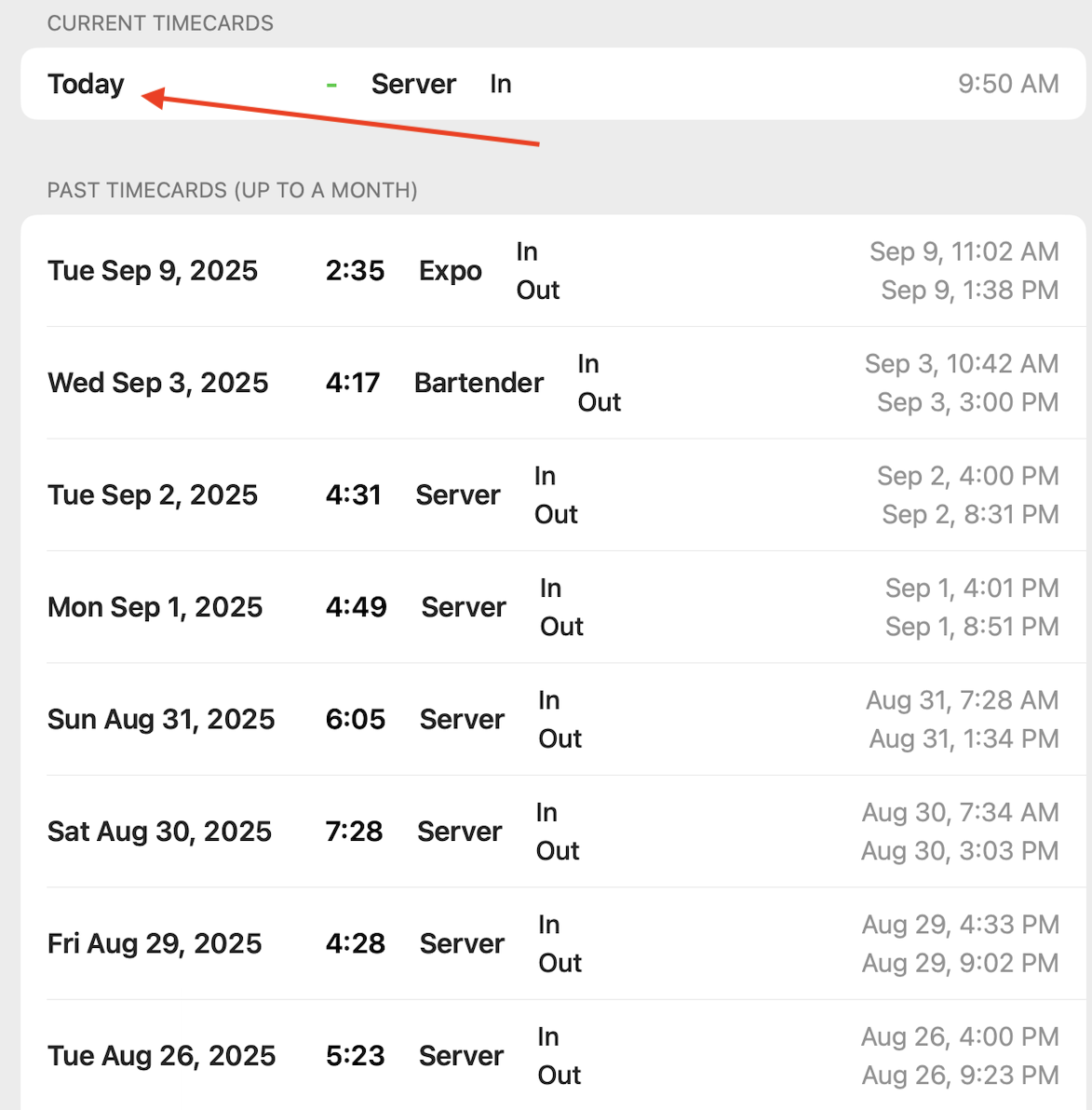
- Tap a row under
Current TimecardsorPast Timecards (up to a month)to open its report. If the day has more than one shift, chooseThis ShiftorEntire Day. - Review the report and tap
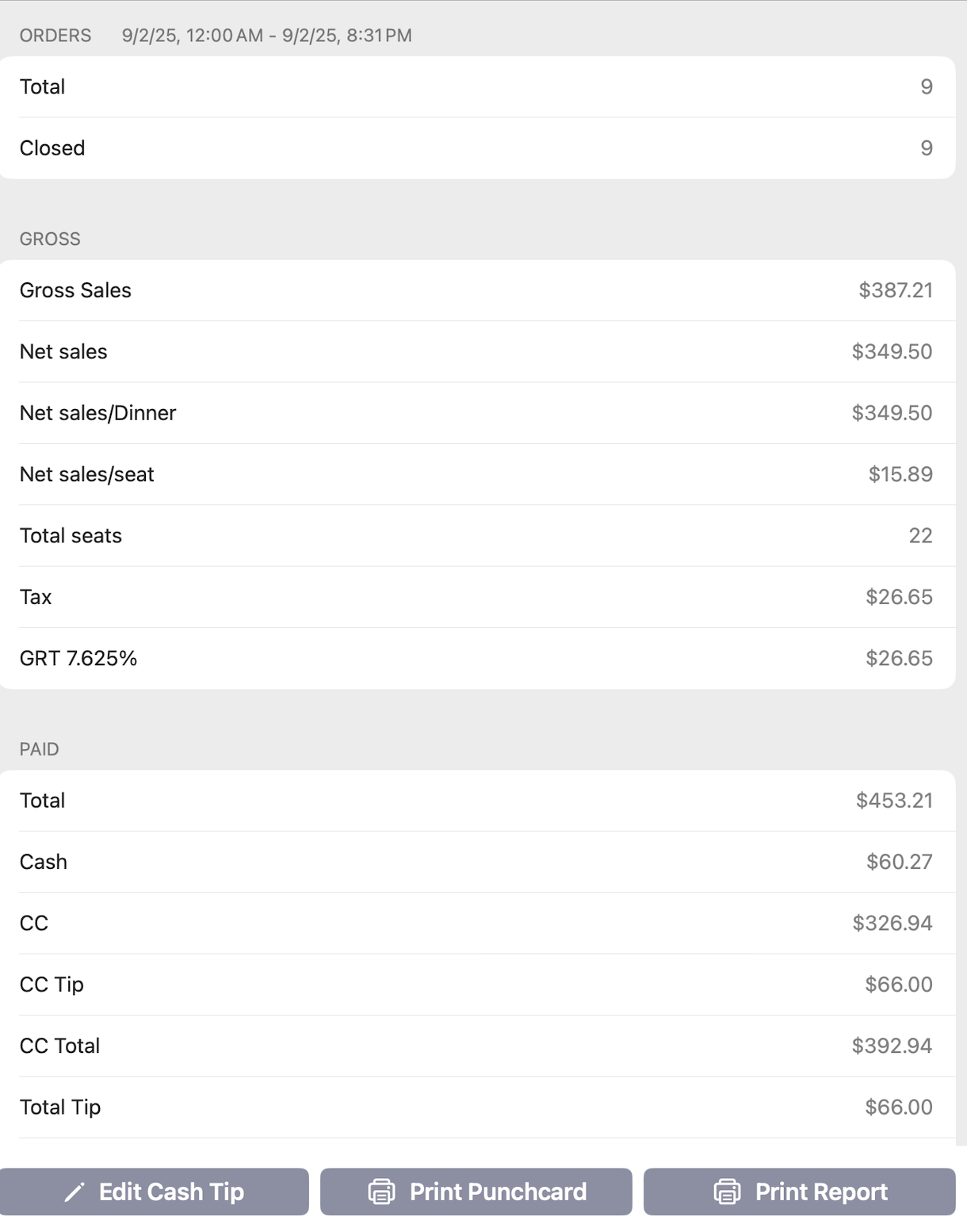
Print Report. TapPrint Punchcardto print the timecard.
Print Report appears only when your restaurant tracks sales by staff member. The POS won’t print it while any of your orders are unpaid.
Tap Edit Cash Tip to correct the cash tips on the report.
In Selflane POS 7.9.0 or later, if the owner picks custom sections under What the POS prints, the report shows and prints only those sections, in the Grouped view. The Settle section still appears when Settle is on and the report has data. If the picked sections have nothing to show, the report shows “No data for this report.” Printing an empty custom report prints only its header.
Review Settle
Settle is available in Selflane POS 7.7.0 or later. When your restaurant enables it, an online report includes a Settle section for the business day:
Due- the day’s amount owed between the server and restaurant.Settled- the amount already collected or paid out.Outstanding- the amount still to settle.
The section also lists recorded settlements, with pay-outs in parentheses. Positive amounts mean the server owes the restaurant; negative amounts mean the restaurant owes the server.
If you have access and an amount remains, the report offers Collect or Pay out with the amount.
Use this action when handing over the cash. It records the settlement, opens the cash drawer, and reloads the report.
Your own timecard report lets you settle your own balance. Staff with Advanced Access can settle another server’s report from Admin Actions > Punchcard Report.
What if Settle is missing or unavailable?
Settle needs an online report and your restaurant’s Settle setting enabled. If the report shows “Tip share and Settle are unavailable offline.” or “Settle could not be calculated.”, reconnect and reload it before recording a settlement. If the amount changes, review the reloaded amount before trying again.