Users & Access
Add the people who can sign into your Enterprise dashboard. This page is owner-only.
The Enterprise access tier is intentionally simpler than the per-business tier — only Owner and Manager. Per-business access (Custom and POS App Only) is configured separately on each business under Owner > Users & Access.
Prerequisite: Selflane Account
Each user must have a Selflane account before you can grant them access. If they don’t, ask them to sign up first, then return here and add them by email.
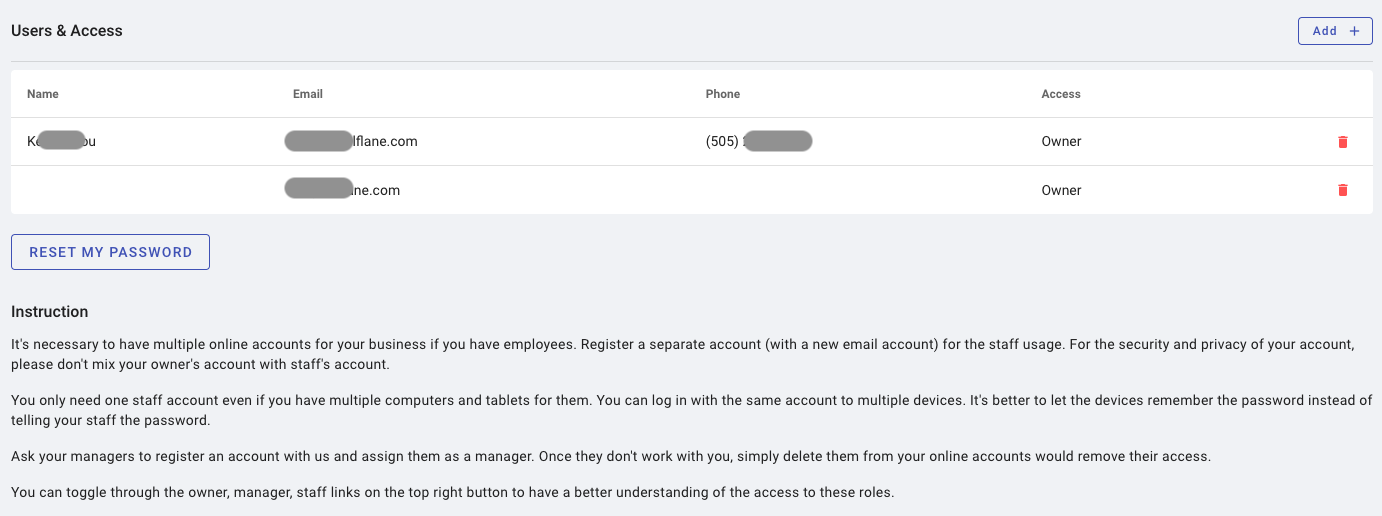
Access Levels
| Level | Scope |
|---|---|
| Owner | Full access to every included business and to the Enterprise admin section. |
| Manager | Non-admin functions only, scoped to the businesses inside the regions assigned to that manager. |
Manager scope is set per region. See Regions to define regions and assign managers.
Add a User
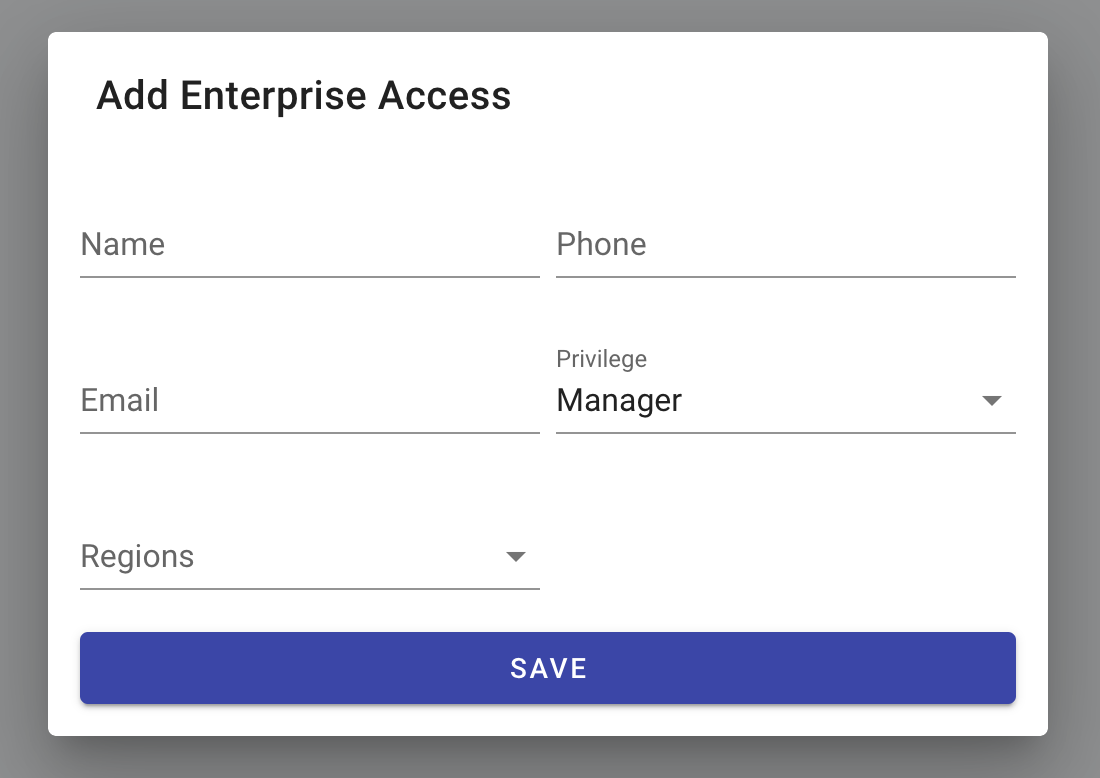
Click + Add, enter the user’s Selflane email, pick Owner or Manager, and (for Manager) assign one or more regions. Click Save.
Related
- Owner > Users & Access — per-business access roles (Owner / Manager / Custom / POS App Only).
- Regions — define the regions a Manager can be scoped to.
Last updated on