Contact Selflane support
Ask the Selflane team for help and keep the conversation with the page or app where you started it.
From the Back Office
Owners, managers, and staff can contact Support. Sales partners have the same Help panel in the Partner Center.
- Click the
?button in the top bar to open Help beside your current page. - Pick the topic that best matches your question. Read the matching guide first.
- Write what happened and what you were trying to do. Add up to five photos or PDFs when they help explain the problem. Each file must be 10 MB or smaller.
- Send the message, then follow the conversation in Help.
A dot on the Help button shows when Selflane has replied. If a reply stays unread for 10 minutes, you receive an email.
From the Selflane Office app
- Open
Settings>Contact us. - Pick a topic and write your question.
- Add up to five photos or PDFs per message. Each file must be 10 MB or smaller.
- Send the message and follow the conversation in the app.
When you cannot sign in
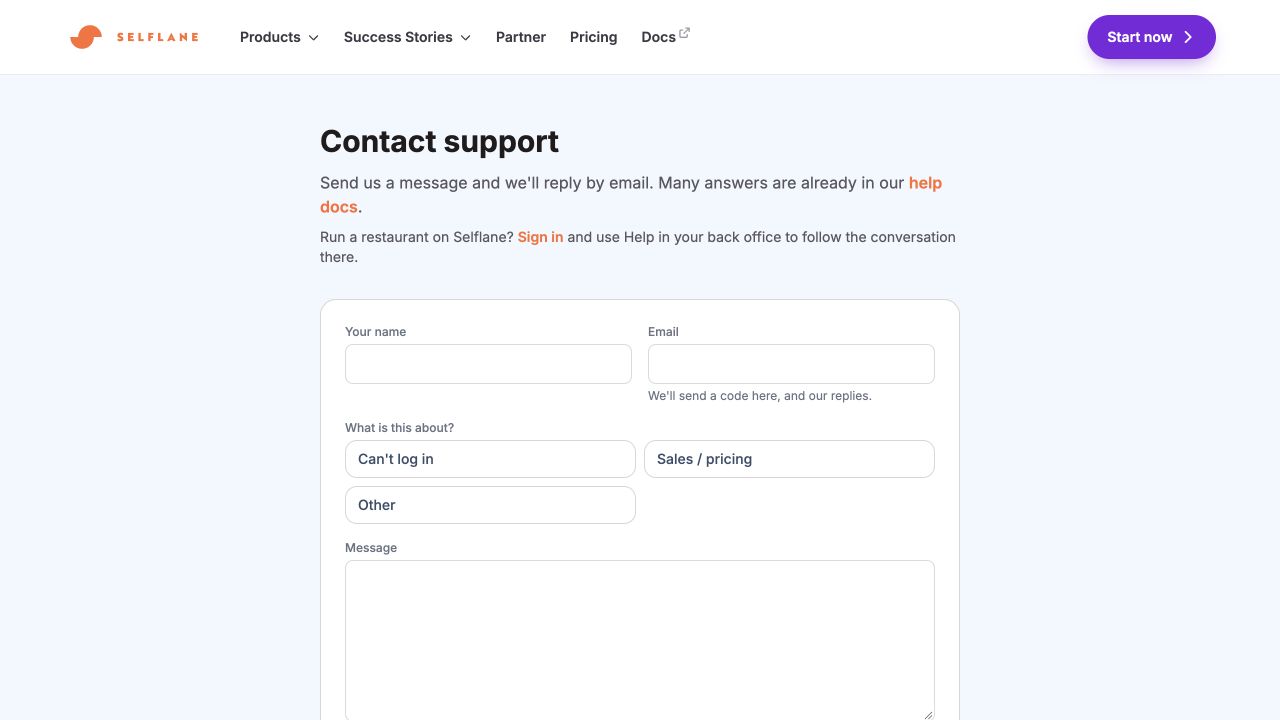
- Open Selflane Help .
- Pick a topic and write your question.
- Confirm your email with the six-digit code sent to you.
- Follow replies by email.
You do not need an account to write from the public Help page. Attaching files requires sign-in.
Assistant answers and human help
On some topics, the Selflane Assistant answers from help articles and offers buttons that open the relevant screen.
- Choose
That solved itwhen the answer resolves your question. - Choose
I still need helpwhen you need a person to take over.
To add a product, service, or location, choose the Add a service topic.
Related links
Last updated on